
Someone registers for your event, adds it to a calendar, and then life happens. A clash appears, a detail slips, and the confirmation email disappears under a week of newer messages. Event reminder messages exist to close that gap. They confirm the details a registrant has half forgotten, restate why the event matters, and give a clear next step. Done well, they lift attendance without adding noise. Done badly, they read as filler and get ignored. This guide covers the channels that work, the structure of a reminder that gets read, and wording you can copy straight into your next send.
Why reminder messages carry so much weight
Event reminder emails are essential for ensuring attendance, because they help registrants remember the important details about an upcoming event. That framing matters. A reminder is not a second invitation. It is a practical service message that answers the questions a person will otherwise have to hunt for: where do I go, when does it start, what do I need to bring, and what happens if I am running late.
Reminders also protect the effort you already spent. You wrote the description, promoted the event, tracked RSVPs, and possibly paid for a venue. A single message sent at the right moment can be the difference between a full room and empty chairs, and it costs far less than another round of promotion.
There is a second benefit that organizers often overlook. Reminders reduce repetitive questions landing in your inbox, your DMs, and your comments. When the details are clear and repeated at sensible intervals, attendees stop asking and start showing up.
Choose the channel before you write the words
The same reminder behaves differently depending on where it lands. Match the channel to the level of detail and the urgency of the message.
| Channel | Works best for | What to keep in mind |
|---|---|---|
| Full details, agendas, links, tickets, and anything an attendee may need to read twice | Needs a clear subject line because the inbox is crowded. Keep the body short even when the detail is long. | |
| SMS | Short, time-sensitive nudges close to the event | Every word counts. One link, one action, no long agenda. |
| Confirmation of event details, arrival instructions, and conversational back and forth | Templates can be written to sound friendly yet firm. A leisure template can confirm the details and remind attendees to arrive early, sent the day before. | |
| In-app or social posts | Attendees already following your event or profile | Useful for last-minute changes such as a room switch or a weather note. |
Many organizers send the same message everywhere. That is usually a mistake. A reminder that reads naturally as an SMS feels clipped in an email, and an email-length message in a text thread feels intrusive. Write once for the core message, then adapt the length and the call to action for each channel.
The anatomy of a reminder that gets read
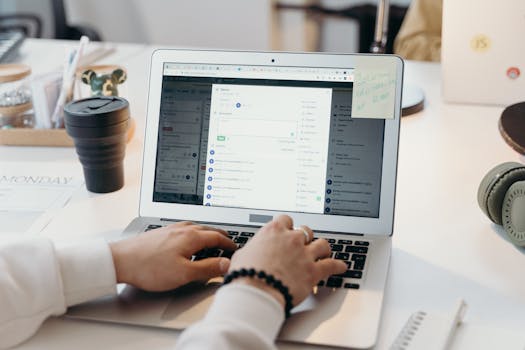
To write an event reminder email, include a clear subject line, the event details, a personal message, and a strong call to action. Keep it short. That four-part structure holds up across every channel, even when you have to compress it.
A subject line that states the job
The subject line should name the event and signal that this is a reminder, not fresh marketing. Clarity beats cleverness here. If a registrant has to open the message to work out which event it refers to, you have already lost ground.
The details, written plainly
Name, date, time, and location should appear as one block that is easy to scan. If there is a join link or a check-in instruction, put it near the details rather than burying it at the bottom. Anything a person needs to physically do before attending belongs in this block.
A personal line
A short human sentence does more work than a paragraph of enthusiasm. Something as simple as looking forward to seeing them, or a note that the doors open early, signals that a person wrote the message and that their attendance is expected.
One clear call to action
Every reminder needs a single next step. Confirm attendance, add to calendar, open the map, or reply with a question. Two competing requests split attention and reduce the chance that either one happens.
How many reminders to send, and when
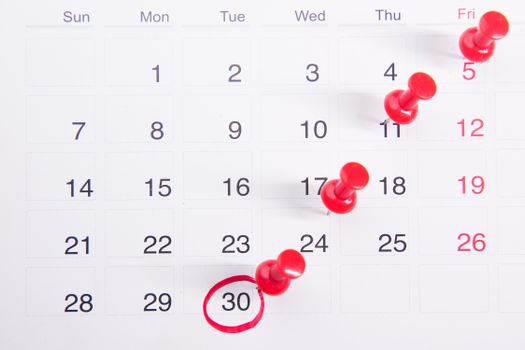
There is no single correct schedule, because a weekly webinar and a wedding reception have different rhythms. A workable pattern is to send an early save-the-date style notice when registration opens, a confirmation of details close to the event, and a final nudge on the day itself. The day-before message is the one most likely to carry practical instructions such as arriving early or bringing a ticket.
Watch for the point where a reminder stops being useful. If a message does not add a detail, a nudge, or a reason to show up, it is filler. Three well-spaced messages usually do more than six that repeat each other.
Copy-ready templates for common situations
Templates exist for a reason. Reminder copy shows up in bulk across conferences, webinars, and trade shows, and it also covers personal occasions such as birthdays, weddings, and invitation reminders by text. Start from a structure, then make the details specific to your event.
Email reminder
Subject: Reminder: [Event name] on [date]
Hi [Name], this is a friendly reminder that [event name] is happening on [date] at [time] at [location]. Doors open at [time], so arriving a few minutes early gives you time to check in. [One line about what to expect or bring.] Please confirm your place using the button below so we can plan numbers. Questions? Just reply to this email.
SMS reminder
Hi [Name], reminder: [event name] is on [date] at [time], [location]. Details and check-in: [link]. Reply YES to confirm or NO if you can no longer make it.
WhatsApp reminder
Hello [Name], a quick reminder about [event name] on [date] at [time]. Please arrive by [time] so we can start on schedule. Your ticket and directions are here: [link]. Let us know if you have any questions before then.
Small meeting or internal session
Hi [Name], this is a friendly reminder that our [event name] is happening on [date] at [time]. This is a good opportunity to learn [topic] and ask questions directly. The agenda and the join link are below. Please let me know if you need to send someone else in your place.
Tone: friendly, but firm about the details
The most effective reminder copy sits between warm and businesslike. Friendly means the reader feels welcomed rather than chased. Firm means the practical facts are unambiguous: the start time, the entry point, the deadline for a reply. Vague politeness is where reminders fail. Saying the session starts at a stated time is friendlier than saying it starts soon, because the reader can plan around it.
Avoid apologizing for sending a reminder. You are not interrupting anyone. You are delivering information they asked for when they registered.
Mistakes that quietly cost you attendance
- Sending a reminder that repeats the original invitation instead of confirming the details.
- Hiding the time, address, or join link inside a long block of text.
- Using the same message on every channel without adjusting length or tone.
- Leaving out a call to action, so the reader has nothing to do next.
- Waiting until the morning of the event to share arrival instructions.
- Skipping the final nudge because the first reminder already went out.
Keeping reminders organized as your event list grows
When you are running one event, reminders are easy. When you are running several, or hosting regularly, the details start to blur. Eventweet brings event creation, RSVP tracking, and promotional copy tools into one mobile-first workspace, so the reminder you send is built from the same details attendees registered with. The AI prompt generator can draft the confirmation and nudge copy, and social integrations help you repeat the essential details where your audience already spends time. The words still need your judgment, but the logistics stop competing with them.
Frequently Asked Questions
How do I word a reminder for an event?
Name the event, state the date, time, and location in one scannable block, add a short personal line, and close with a single call to action. Keep the whole message brief. A reader should be able to confirm what the event is, when it happens, and what to do next without scrolling.
How do you professionally say "just a reminder"?
Lead with the event rather than the nudge. A phrase such as "this is a friendly reminder that [event name] is happening on [date] at [time]" is professional and direct. It states the purpose plainly and moves straight into the details, without apology or hedging language that makes the message feel uncertain.
How far in advance should I send an event reminder?
It depends on the event. A practical pattern is an early notice when registration opens, a details confirmation close to the date, and a final message on the day. The day-before message is the natural home for practical instructions such as arriving early. Test the rhythm with your own attendees and adjust.
What should an event reminder message include?
Include a clear subject or opening line, the event name, date, time, and location, any link or check-in instruction, a short personal note, and one call to action. If attendees need to bring something or arrive early, say so directly. Anything that changes their planning belongs in the message.
Can I send the same reminder by email and text?
You can, but shorten it for each channel. Email can carry the full details plus a link. A text message should be a few lines with one link and one reply option. Matching the length to the channel keeps the message readable and reduces the chance it gets ignored.
A good reminder is not the loudest message in someone's inbox or phone. It is the one that answers the question they were about to ask, arrives while they can still act on it, and makes showing up the easiest choice available.