A save the date has one job: put the date in front of your guests before the full invitation goes out. For years that meant a print run, a stamp budget, and a stack of envelopes. An event platform for save the dates handles the same task by email, text, or a shared link, and keeps the responses in the same system you will use for RSVPs, reminders, and guest check in later.
That shift matters most for hosts working with modest budgets and long guest lists. It also changes how the announcement connects to everything after it, because a digital save the date can carry a link straight to the event page where RSVPs, ticketing, and updates live.
How save the dates fit into the event planning flow
Save the dates sit at the front of a sequence that runs roughly like this: announce the date, publish the event details, collect RSVPs, send reminders, then manage the guest list on the day. Each stage depends on the one before it, which is why keeping all of them on one platform saves work.
The alternative, a print vendor for the announcement, an inbox for replies, and a spreadsheet for the guest list, means the same names get typed three times. Organizers swapping advice on affordable save the dates and invitations often say they cannot justify mailing everything, especially for smaller gatherings where per card costs add up quickly. A platform approach removes most of that duplication.
- Announcement sent by email, text, or messaging app
- Event page published with date, location, and details
- RSVP tracking against a single guest list
- Reminders and follow ups for anyone who has not replied
What to include on a save the date
Etiquette guidance is consistent on the essentials. Keep the card short and let the invitation carry the rest.
| Element | Why it matters |
|---|---|
| Names | Identifies who is hosting or celebrating |
| Event date | The core purpose of the message |
| Location | Helps guests judge travel and time off |
| Event website | Gives one place for updates and RSVPs |
| All guest names on the envelope or message | Confirms exactly who is invited |
Menu choices, dress code, and gift details belong on the invitation or the event page, where guests can find them once they have decided to attend. A save the date that tries to do everything usually ends up doing none of it clearly.

Delivery channels: email, text, and messaging apps
Digital save the dates are commonly sent by email or text message, and some services also let you share them through WhatsApp. Delivery is instant, which is the main advantage over a print run. You can send the announcement the day you settle on the date, then pair it with printed cards later if you still want a physical keepsake.
Designer templates for digital save the dates are fully customizable, so the announcement can carry your own wording, colors, and photo rather than a generic fill in the blank card. Some tools add open tracking and free follow ups, which shows who has seen the message and who needs a second nudge without another group text.
Email suits longer guest lists and anyone who wants a record of the send. Text and messaging apps suit guests who rarely check email, including out of town friends planning travel.
Free, premium, and printed save the date options
Choices generally fall into three buckets, and plenty of hosts mix them.
| Option | What to expect |
|---|---|
| Free digital templates | Online card collections include free online cards alongside premium designs |
| Save the dates included with a platform | Some event management platforms let you create, customize, and send save the dates to your guest list at no cost |
| Premium digital designs | Designer templates with full customization and instant delivery |
| Printed cards | Large template collections with per card pricing and extras such as free guest address envelope printing |
Where cost matters, start with the free tier and move up only if the guest list or the occasion demands it. Print vendors publish per card pricing on their save the date collections, and one vendor lists cards from as low as 45 cents each with free guest address envelope printing on every order. Digital options are usually cheaper per guest, but paper still carries weight for weddings and formal celebrations. Confirm current pricing and turnaround with each provider, since those details change.
Linking save the dates to RSVP tracking
The real gain from running save the dates on an event platform is that the announcement and the RSVP share one record. Guests who tap through from the save the date land on the event page, where they can indicate interest, see updates, and later complete the formal RSVP.
A few habits keep that record clean:
- Send the save the date with a link to the event page rather than an attachment alone.
- Ask for a soft indication of interest, not a final yes or no, so early numbers stay flexible.
- Keep one guest list and update it directly instead of copying replies into a spreadsheet.
- Use open tracking or delivery status to decide who gets a follow up.
- Send the invitation or RSVP request to the same list so nobody is contacted twice.
Personalization, templates, and AI assisted copy
Template collections for save the dates run into the hundreds, covering botanical, floral, elegant, destination, and typographic styles, with free online cards, premium digital options, and paper cards in the mix. Personalizing one takes minutes: swap in names, date, location, and a link, then adjust colors and type to match the rest of the event branding.
Wording is where many hosts stall. AI prompt generators built into event platforms can draft save the date copy, event descriptions, social captions, and reminder messages from a short brief. Treat the first draft as raw material and check names, dates, and the location line by hand before anything goes out. A wrong date on a save the date is expensive to correct.
Promoting the save the date across social channels
A save the date only works if people see it. Platforms with social integrations let you push the event page to the networks your guests actually use, so the same announcement reaches inboxes and feeds without a second round of design work. Host profiles, feeds, posts, comments, and followers also give the event a public home that guests can share.
Practical moves: publish the event page, post the save the date as a graphic with the date in the caption, ask co hosts and committee members to reshare it, and pin the post so latecomers still find it. Keep the RSVP link in every version. Feature availability differs between plans, so check what your account supports before building a promotion plan around it.
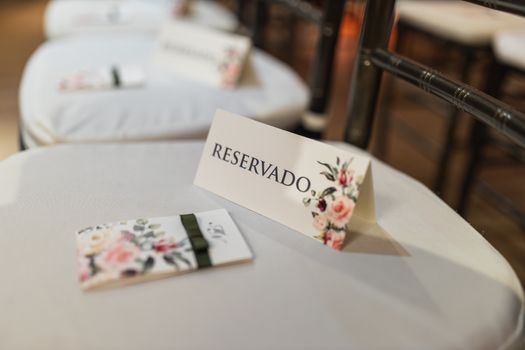
Checklist before you hit send
- Date, location, and names checked against the venue or host confirmation.
- Event page published with a working RSVP link.
- Guest list imported and de duplicated.
- Message wording proofread, including any AI generated draft.
- Send method chosen for each guest segment: email, text, or messaging app.
- Follow up schedule set for anyone who has not opened or replied.
- Printed cards ordered only if you have decided to pair formats.
Working through that list takes less time than fixing a guest list that was split across three tools. Once the save the date is out and RSVP tracking is live, the rest of the cycle runs on the same records: invitations, reminders, ticketing, and check in on the day.
Frequently Asked Questions
What should a save the date include?
Most save the dates cover five basics: the names of the hosts or couple, the event date, the location, a link to the event website, and the name of every invited guest on the envelope or message. Save the details that require a decision, such as menu choices or dress code, for the invitation that follows.
Are digital save the dates really free?
Some are. Several platforms offer free save the date templates, and some event management tools include save the dates at no cost as part of the wider platform. Premium digital designs and printed cards carry a fee, so confirm what is included before you commit to a design or a guest count.
Can I send a save the date by text message instead of email?
Yes. Digital save the dates are commonly sent by email or text message, and some tools also let you share them directly through WhatsApp. Delivery is instant, so guests see the notice as soon as you send it, and you can pair the digital version with printed cards later if you want a keepsake.
Should I still mail printed save the dates?
Printed save the dates remain an option, and many organizers pair a digital announcement with paper cards for guests who prefer mail. Print vendors list large template collections, some with free guest address envelope printing and per card pricing, so compare a few quotes before you order.
How do I know whether guests saw the save the date?
Look for open tracking. Some digital save the date tools record when a guest opens the message and let you send free follow ups to anyone who has not responded. Pair that with the RSVP list inside your event platform so you can see who has acknowledged the date and who needs a nudge.